How to choose a smart intercom for your building: the property manager's checklist
Published 8/10/2026 · Updated 9/24/2026
Choosing the building’s intercom isn’t buying a product: it’s signing up for a service that will sit in the lobby for the next ten years, with the property manager’s name next to the signature. And unlike a water pump or an elevator, here almost everything that matters is invisible in the brochure: what happens when the internet drops, who can open the door, where residents’ images end up, and what’s left of the system if the company selling it stops existing.
This is the checklist worth having on the table in the vendor meeting — any vendor, us included. It isn’t a list of what to buy but of what to ask, and of what should be in writing before the quote reaches the assembly. If you’re missing the previous step — deciding whether the building should repair, modernize, or replace — that one is in replace the intercom or modernize it.
What installation will it actually run on?
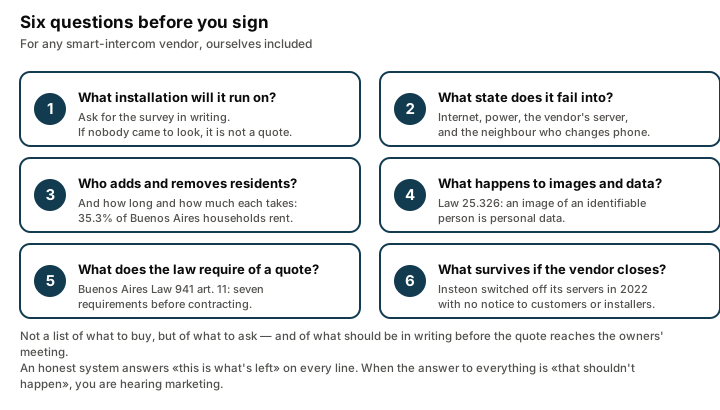
Before the price, ask for the site survey. A smart-intercom quote produced over the phone, without anyone having seen the panel board, the machine room, or the street panel, is a provisional number dressed up as a final one: when the technician shows up and finds something else, either the price moves or the job stretches.
The minimum the quote should state in writing, in your words and not the salesperson’s:
- What system the building has today and what the solution is compatible with. Most Argentine buildings use 4+n and 5+n wired intercoms (Commax, Fermax, and similar). If the proposal is a retrofit, it has to say explicitly that this wiring and this street panel are kept.
- What gets touched and what doesn’t. Does anything have to be opened up, rewired, or replaced at the entrance? Every “yes” here is construction work, and construction work is what turns a short vote into a long argument.
- How many units are covered, and what happens with the shops, the doorman’s office, the garage, and the service unit — the ones that always surface afterwards.
- How long the installation takes, and whether the building is left without an intercom meanwhile.
The question that organizes this part best: what did you find when you came to look? If nobody came to look, you don’t have a quote yet.
What keeps working when something fails?
This is the question that separates similar-looking proposals, and it’s almost never in the brochure. Don’t ask whether the system fails — they all do. Ask what state it falls back to when it does. Get the answer in writing for four concrete scenarios:
- The building’s internet goes down. Can the visitor still call? Does anything ring inside the apartment? In a retrofit, the street button keeps ringing each unit’s handset, because that circuit never touches the internet; what’s lost until the connection returns is answering from your phone. In a system that removed the indoor handsets, there’s no alternative path at all: the visitor is stuck at the door. The full comparison is in physical button or QR code.
- The power goes out. How long does the equipment hold? Is there a battery? Does it come back on its own, or does someone have to call a technician?
- The vendor’s server goes down. It’s the scenario nobody raises, and the only one the building can’t solve on its own.
- A resident changes phones or runs out of data. How is access recovered, and can they do it themselves?
An honest system answers all four with a “this is what’s left” on every line. When the answer to all of them is “that shouldn’t happen”, what you’re hearing is marketing.
Who can answer, who can open, and how do move-ins and move-outs work?
In a real building this isn’t a configuration detail: it’s recurring administrative work. In the City of Buenos Aires, 35.3% of households rent (Annual Household Survey 2024, City Statistics and Census Institute), against 53.0% who own. In an average building that means one in three units turns over, and every turnover is one addition and one removal in the intercom.
Concrete questions for the vendor:
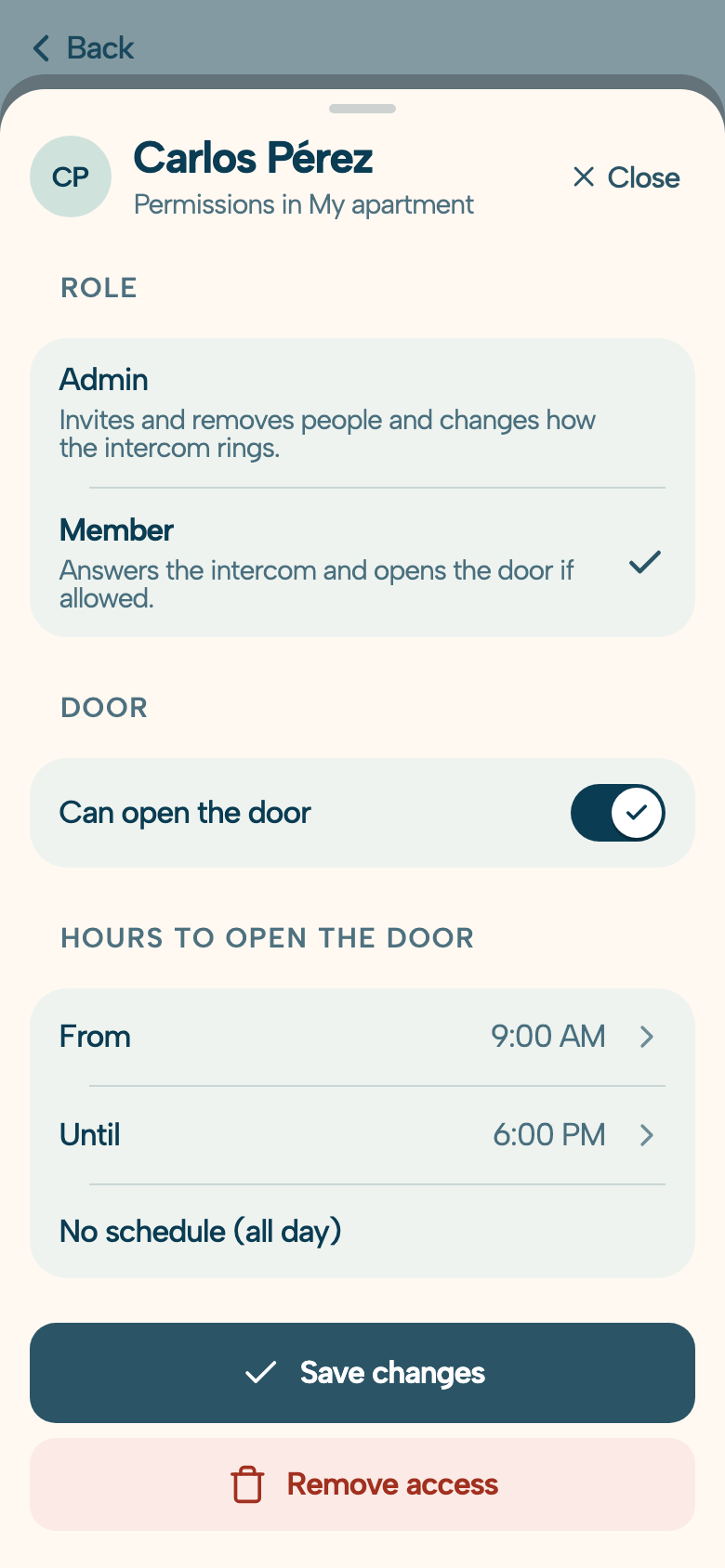
- Who adds and removes residents: the property manager, the resident themselves, or do you have to ask the vendor to do it?
- How long does it take and what does it cost per change? If every removal means a billable service call, that cost belongs in the monthly comparison before you rank proposals.
- What happens the day a tenant moves out? A tenant who has left shouldn’t still be able to open the building’s door from the app. Ask how and how fast that access is cut, and who can do it on a Sunday night. That’s the real test: if the removal depends on the vendor opening a ticket on Monday, the building spent the weekend with one extra key in circulation. With DoorLink, whoever administers that unit removes the member from the app, along with each resident’s door permissions — that’s what managing residents, permissions, and devices from the cloud means: no service call, no waiting.
- How many phones can a single unit have? With DoorLink the call rings simultaneously on the phones of every resident linked to that unit, and residents, access permissions, and devices are managed from the cloud — no site visit required.
- Is there a record of who opened the door and when? For a property manager that’s the difference between an assembly argument and a fact.
What happens to residents’ images and data?
If the system shows or stores images of whoever rings the bell, the building has entered personal-data territory whether it wanted to or not. Under Argentine law “an image or film recording constitutes, for the purposes of Law No. 25,326, personal data” whenever the person is identified or identifiable (Disposición 10/2015, now under the Agency for Access to Public Information). Law 25,326 is still the statute in force in 2026: several reform bills sit in Congress, but none has been passed.
That carries concrete obligations for whoever is the controller of that database: registering it, keeping a personal-data handling manual — covering where and when the cameras operate, how long images are retained, and with what security measures — and posting signage stating that images are being captured, for what purpose, and how to contact the controller. The questions no quote arrives with answered, and that are always worth asking:
- Does the system record, or does it only show live video during the call?
- If it stores anything, where does it live, for how long, and who can see it? Can the vendor look at the building’s images?
- Who is named as the database controller: the building, the vendor, or both? Get it in the contract, not in conversation.
- Who takes care of the signage and the registration?
This isn’t red tape: it’s the difference between the building knowing what it signed and finding out the day a resident files a claim over their own images. And if someone at the assembly asks “are we being filmed?”, this is the answer you want ready.
What does the law require of the quote that reaches the assembly?
More than quotes usually contain. In the City of Buenos Aires, Law 941 — the one behind the Public Registry of Building Administrators — is blunt: administrators may not contract, nor put before the building, quotes for goods, services, or works that don’t meet seven requirements (art. 11):
- The provider’s or contractor’s professional credentials or license, where the law requires one.
- Name, address, identifying details, and a copy of their AFIP and ANSES registration.
- Itemized pricing, with materials and labor listed separately.
- The deadline in which the work will be done or the service provided.
- Whether a warranty is granted and, if so, its scope and duration.
- The period during which the quoted price holds.
- The provider’s personnel workers’ compensation insurance, where the law requires it, and liability insurance.
Read the right way, that list is half a checklist already written for you by the legislature: if the intercom quote doesn’t separate materials from labor, doesn’t say how long the warranty lasts, and doesn’t come with workers’ comp and liability cover for the technician who’ll be up a ladder in your lobby, a Buenos Aires property manager simply shouldn’t take it to the assembly. One common confusion worth clearing: the law does not require three competing quotes — that custom usually comes from the building’s own bylaws or practice, not from Law 941. What it requires is that each quote satisfies all seven points.
On point 5, a useful legal floor for negotiating: Argentina’s Consumer Protection Law sets a minimum statutory warranty of six months for new movable goods (three for used ones) from delivery, and the parties may agree to a longer term; if the equipment has to travel to an authorized workshop, shipping and insurance are on whoever provides the warranty (art. 11, Law 24,240). Any commercial warranty you’re offered is measured against that floor.
What happens if the vendor shuts down or discontinues the service?
It’s the uncomfortable question, and it has a precedent worth knowing. In April 2022 Insteon — a home-automation brand with years in the market — switched off its cloud servers without telling anyone: not customers, not installers. The hardware went inert, the app stopped being useful, the forum vanished, and the company’s phones stopped answering. Only in June of that year did a group of users buy what was left of the company and start reviving the service. In other words: the rescue happened, but it was luck, not a right anyone held by contract.
A building intercom is infrastructure, not a gadget. What to pin down in writing:
- Who owns the hardware once installation is paid: does the building buy it, or hold it on loan for as long as the subscription runs? If the building leaves, does the equipment get uninstalled?
- What keeps working if the service is interrupted. A retrofit has a structural advantage here: because it keeps the street panel, the wiring, and the indoor handsets, the floor the building falls back to is the intercom it already had. A system that removed the handsets has no floor.
- Notice and exit. How much warning do you get before a price increase or a discontinuation? How is the contract terminated, and at what cost?
- Local support continuity. Who shows up when it fails: the vendor, a certified technician, anyone? DoorLink, for instance, is installed through independent certified technicians, which means the building doesn’t depend on a single crew.
How do you really compare two proposals?
By putting them in the same unit of measure: total cost per apartment over five years, not installation price. The math is simple and it dismantles most misleading comparisons:
Total cost per apartment over 5 years = (installation ÷ units) + (monthly fee per unit × 60) + expected additions/removals and service calls
Ask every vendor for the three terms separately and do the math yourself: a quote that only tells you the first one is competing on incomplete information.
Cheap hardware with an expensive subscription can end up above pricier hardware with none, and vice versa. For reference, DoorLink’s installation is a one-time cost with hardware included, and the monthly per-apartment service is billed to the building, which decides how to split it. The full per-apartment math, compared against what the building already spends on repairs and maintenance contracts, is in how much a smart intercom costs a building; the exact number for your building — without relying on a conversion inflation will make stale — takes a minute in the calculator.
The checklist for the meeting
Eleven questions, in order, to copy and take with you:
- Did you come and see the building? What did you find, and what of it is in writing?
- What wiring and street panel is this compatible with? Is it kept, or does it have to be replaced?
- What keeps working without internet? Without power? If your server goes down?
- Who adds and removes a resident, how fast, and at what cost?
- How many phones per unit? Is there a record of who opened the door?
- Does the system record images? Where, for how long, and who can see them?
- Who is the controller of that image database before the AAIP?
- Does the quote meet the seven requirements of art. 11 of Law 941?
- What’s the warranty, in writing, and what does it cover? (Legal floor: six months.)
- Who owns the hardware, and what happens if the building terminates or you shut down?
- What’s the total cost per apartment over five years?
A vendor who answers all eleven without getting nervous is, more often than not, the one you’ll want on the other end of the phone three years from now. Once you have the answers, the next step is the assembly: what majority is needed and how the cost is split is in smart intercom for the building, and the objection that never fails to come up — “the older residents won’t adapt” — has its own data-backed answer in is it easy for older adults to use?.
Want all eleven answers in writing for your building? Put your building’s details into the calculator — it gives you the per-apartment cost in a minute — and leave your question right there: we’ll answer all eleven, one by one, in a single message you can forward to the owners’ committee. If you’d rather write to us directly, the contact form is at the foot of this page. And if you end up choosing another vendor because they answered better, the checklist still did its job.