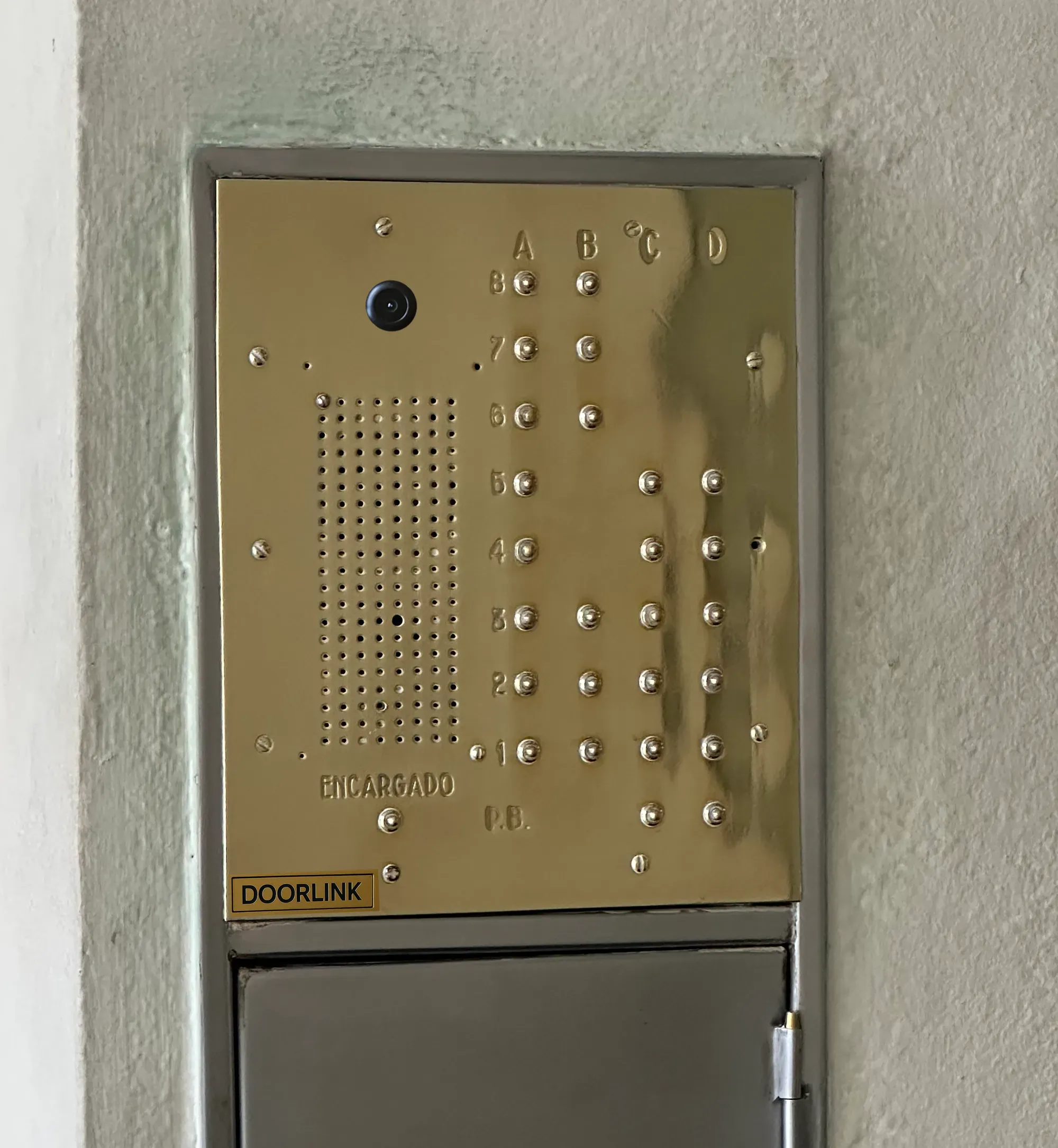
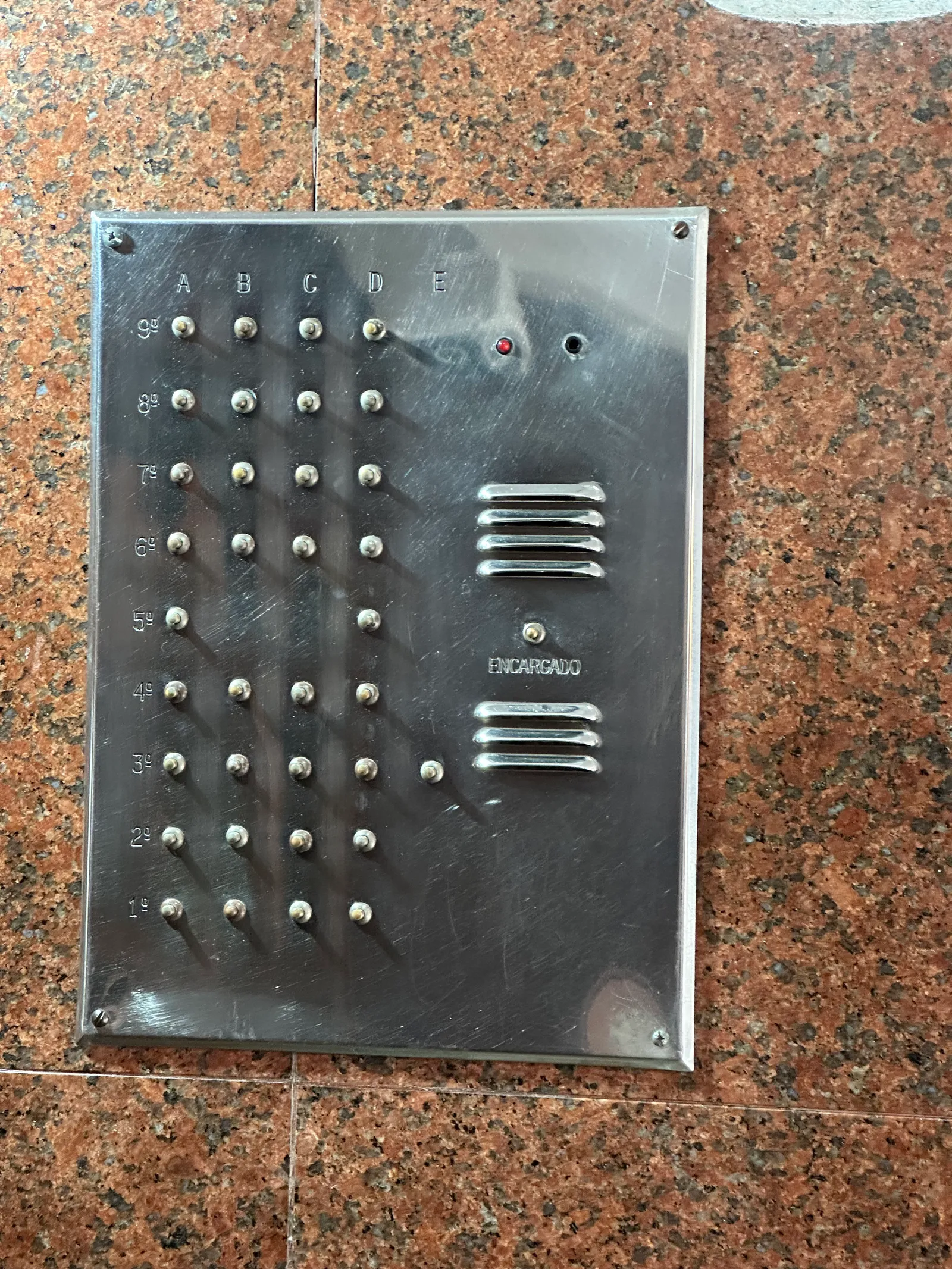
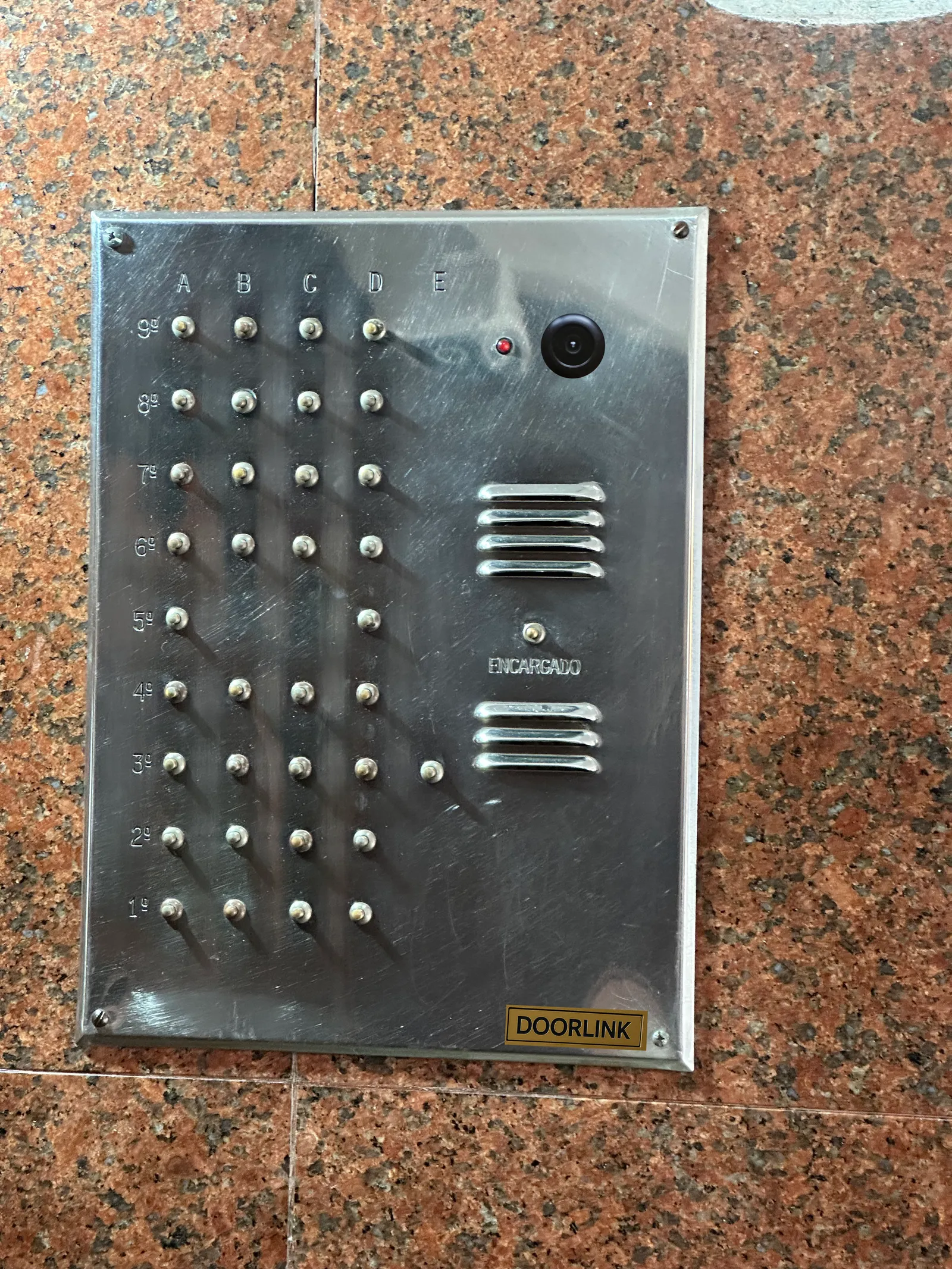
If your building's intercom works, we modernize it without changing how it looks. If it's failing, if the signal never reaches your apartment, or if there's no intercom at all, we replace it outright. Either way, you see who's at the door and open it from your phone, wherever you are.
Works with 4+n and 5+n wire intercoms from brands like
CommaxFermaxUrmetFarfisaBticinoGolmar
Different brand? If your building's intercom uses standard 4+n or 5+n wiring, DoorLink is compatible with it too. And if there's no intercom at all — or the one there is beyond repair — we install the street panel ourselves.
How is your intercom doing today?
DoorLink works in all three cases.
Break-ins don't target a broken intercom — they target an unanswered one
Someone rings the street buzzer. If nobody answers, that's the signal they read as "no one's home" — and that's what triggers the attempt. A camera alone doesn't change that if there's no one watching it.
Before and After
Before: Traditional Intercom
After: Doorlink Smart System
Benefits of Doorlink
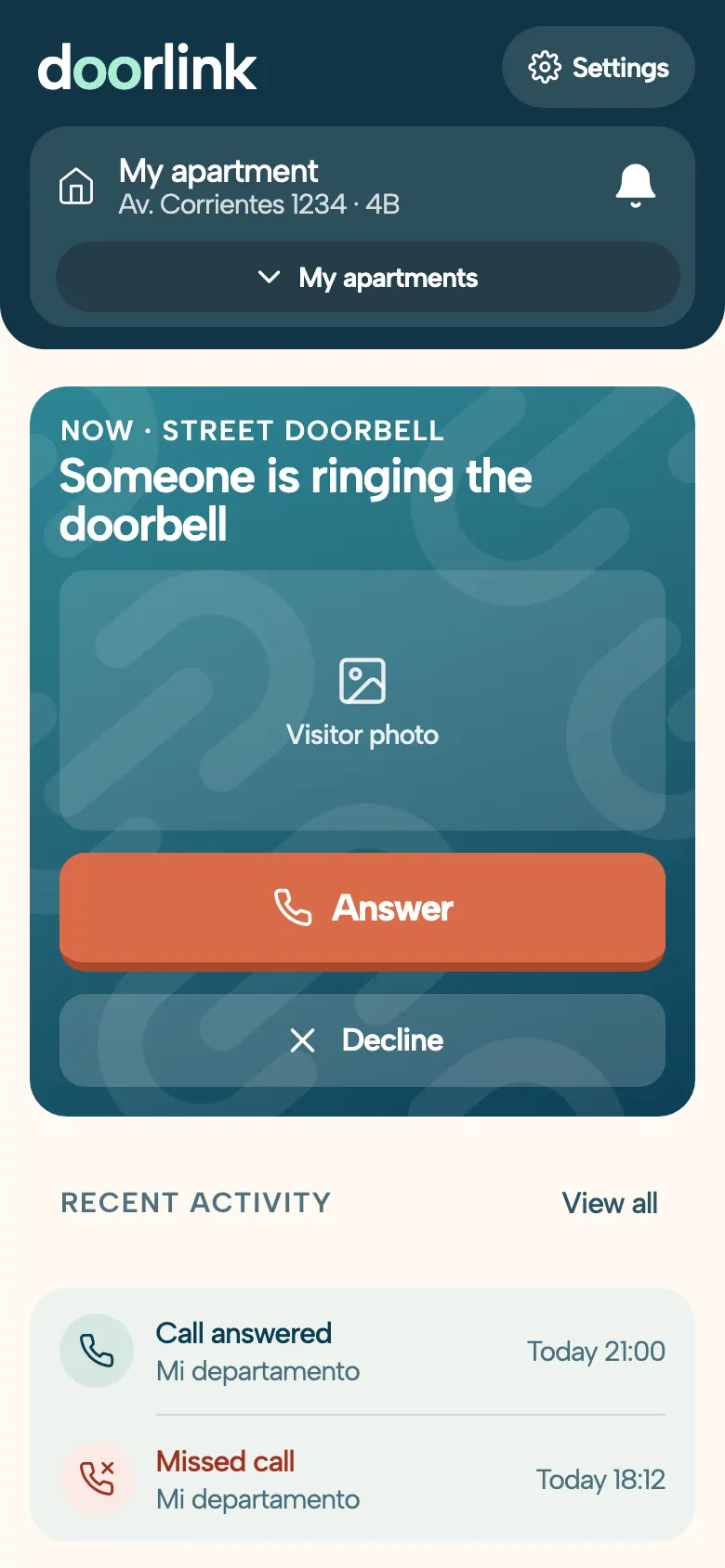
The App, for Every Resident
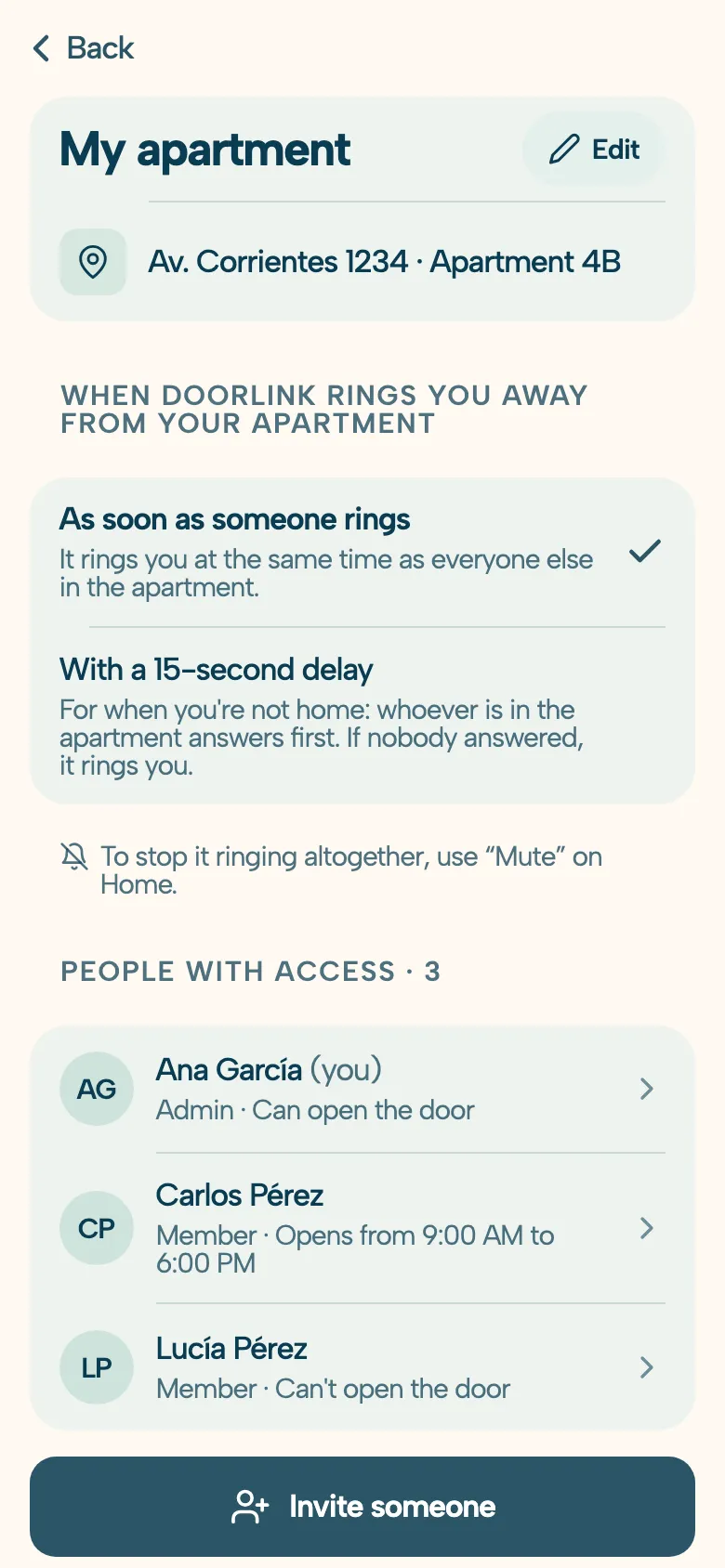
Each apartment manages its own phones: who answers, when each phone rings, and who can open the door.
Answer With One Tap
When someone rings, the app's home screen shows it front and center: you see who it is, answer, and slide to open. And whenever you want to check the entrance, tap “See the door.”
Mute Without Opening Settings
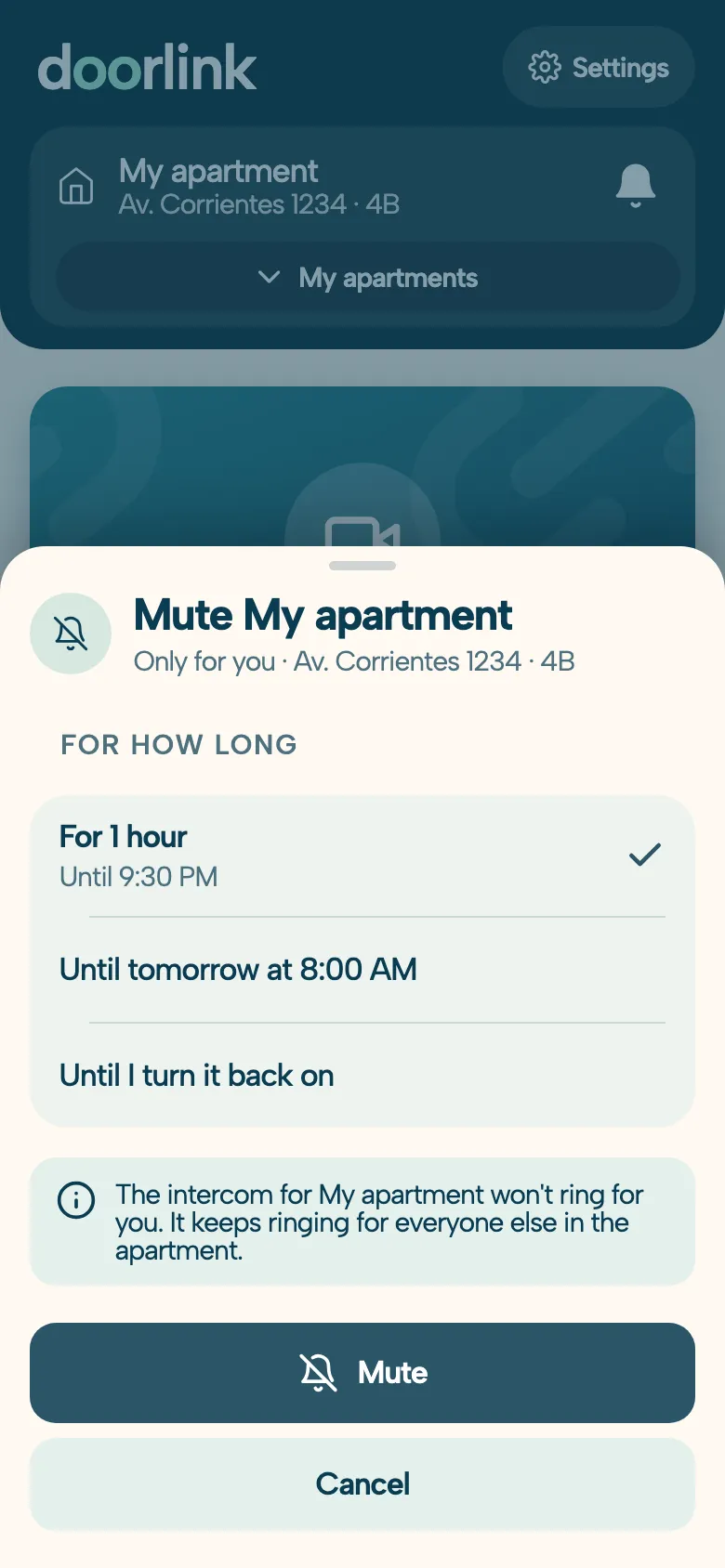
Tap the bell and pick how long: an hour, until 8 tomorrow morning, or until you turn it back on. It's muted only for you: it keeps ringing for everyone else in the apartment.
Whoever's Home Answers First
When you're out, you can have it ring you after a 15-second delay: whoever is inside answers first, and if nobody picks up, it rings you.
Invitations With Just the Right Permission
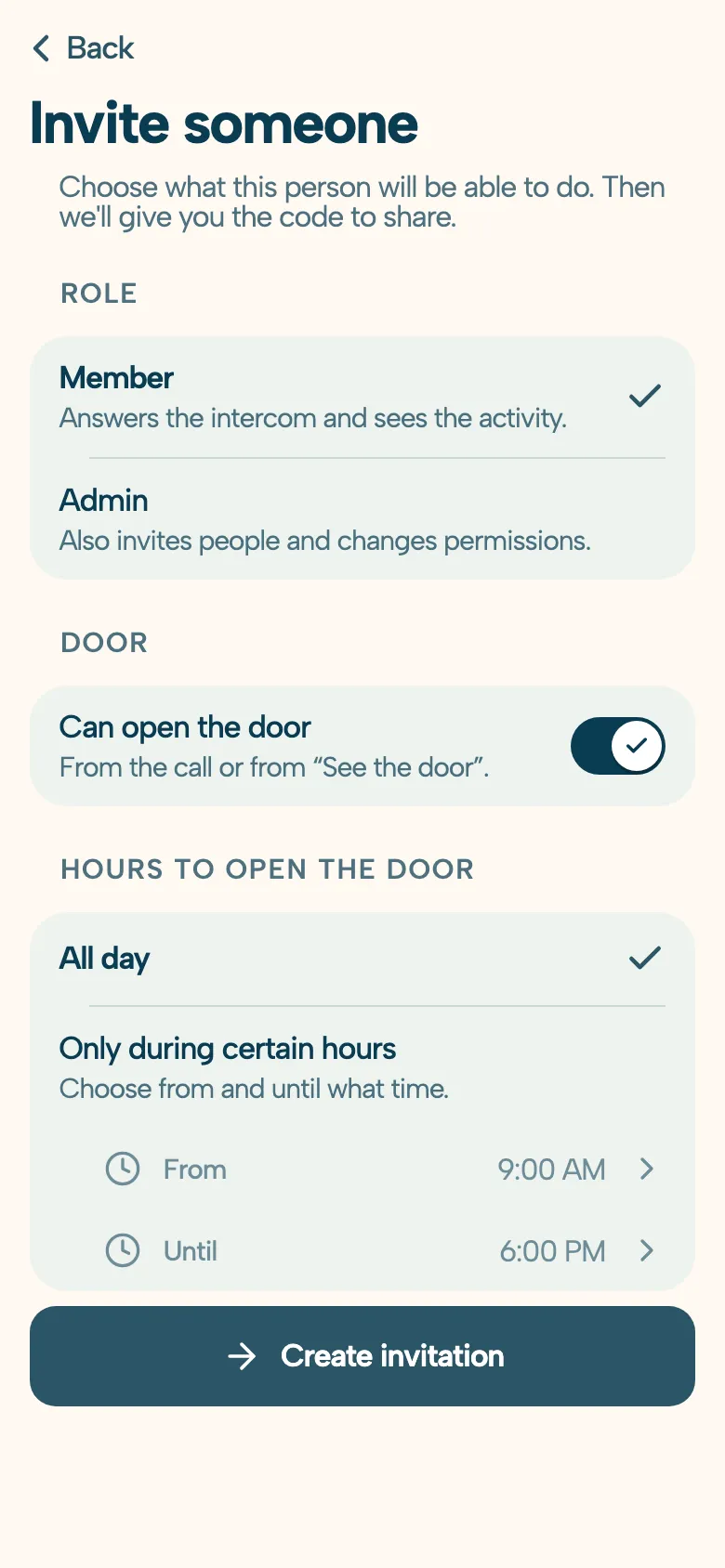
Choose whether the person joins as a member or an admin, whether they can open the door, and during which hours. You send them a three-word code or a QR code, and you can change or remove the permission anytime.
Frequently Asked Questions
General Questions
DoorLink routes calls from the street panel to each resident's phone, with video and remote door opening. If the building already has an intercom, it installs on top of the existing one without replacing the panel or changing how it looks; if that intercom is failing, wrecked, or missing entirely, we install a complete one with its own street panel. Installation is done by a certified technician in a few hours, with no rewiring of the building.
For Residents
Once DoorLink is installed, each resident downloads the app and links their unit. You receive calls from the entrance on your phone, see who is there on camera, and open the door from anywhere. On retrofit installs, the handset in your apartment keeps working as before — you can use both.
For Technicians
We certify independent technicians to install DoorLink. The training course covers the retrofit process for the most common intercom systems. Certified technicians get access to hardware pricing and installation leads in their area.
What happens if someone rings and nobody's actually home?
That's exactly the situation that leaves a building most exposed: if nobody answers, whoever rang assumes the apartment is empty, and that's the moment break-in attempts look for. With DoorLink the call doesn't depend on you being physically inside the apartment — it rings your phone wherever you are, so there's always someone to answer, see who it is on camera, and decide whether to let them in.
What do I do if my building's intercom isn't working?
Start by figuring out what's actually failing: no ring at all, it rings but won't open the door, or there's no audio. The usual suspects are worn-out buttons on the street panel, loose wiring, the electric strike, or the power supply. If the same problems keep coming back, instead of patching up the old system you can modernize it: DoorLink installs on top of your existing intercom and routes calls straight to each resident's phone, getting rid of the parts that fail most — no rewiring needed.
My neighbors' intercom works but mine doesn't — is DoorLink any use to me?
Yes, and it's one of the cases where the difference is clearest. When the other floors work and yours doesn't, it usually means the run of cable going up to your unit is damaged — often inside conduits buried in the wall. DoorLink doesn't use that run: the module connects at the street panel and sends the call over the internet straight to your phone, so the broken wiring in your wall stops being used at all. No opening walls, no replacing conduits, and nothing changes for your neighbors, who keep using their intercom as always.
How much does DoorLink cost?
Installation is a one-time cost of between USD 500 and USD 900 depending on complexity and number of units, hardware included (USD 900 is the ceiling). After that, the service runs about USD 8 per month per apartment (with a USD 3 floor in lower-income areas); it's billed to the building's HOA, which decides how to split it among residents.
Will it work for my building?
DoorLink works with the 4+n and 5+n wire intercom systems used by most Argentine buildings (Commax, Fermax, and similar brands). No need to replace the street panel or rewire anything — the module connects straight into your existing system. And if your building has no intercom at all, or the one it has is beyond repair, we install the street panel ourselves. Not sure what your building has? Just message us and we'll check.
Do I have to replace my existing intercom?
You don't have to, but you can. The usual route is a retrofit: DoorLink keeps your building's street panel and existing wiring, and adds the electronics that route calls to residents' phones and let them open the door remotely — anyone who'd rather keep using the classic handset can still do that. If the intercom is wrecked, stolen, or simply isn't there, we install DoorLink complete with its own street panel. Either way, visitors press a physical button: no phone, no mobile data, no QR code to scan.
Is it suitable for older residents or people with limited mobility?
Yes, and it's one of the most common reasons people install it. Nobody has to get up and cross the apartment before the call drops: it rings on your phone and you answer it like a WhatsApp video call, with the visitor's face on screen — which also means you never buzz someone in without having seen them. On retrofit installs the original handset keeps working, so anyone who'd rather not use a phone loses nothing: the two coexist.
Can I take deliveries when I'm not home?
Yes. When the courier rings, the call reaches your phone wherever you are: you see them on camera and can buzz them in if you're nearby, tell them where to leave the package, or ask them to hand it to a neighbor or the building manager. It's one of the features residents value most, because it puts an end to missed deliveries and redelivery attempts.
Who can open the door from the app, and how does each resident join?
Each apartment manages its own phones. To join, a resident scans a QR code generated by whoever manages their apartment (or types a three-word code), and their phone is linked in a minute, no forms. That code carries permissions: you can grant door opening or answer-and-talk only, and limit opening to a time window, for example your kids can open only between 2:00 and 6:00 pm. Each person also picks when it rings them: as soon as someone rings, or after a 15-second delay for when they're out, so whoever is in the apartment answers first. And anyone who doesn't want calls for a while mutes it from the app's home screen for an hour, until the next morning, or until they turn it back on, without silencing it for everyone else.
What happens if someone tries to steal or break the street panel?
DoorLink has an anti-vandalism alarm: if someone tries to force or rip out the street panel, the system raises an alert. That's a real difference from a traditional intercom, where a stolen panel is only discovered when a neighbor notices the buzzer stopped working. And because the call is picked up at the panel and travels over the internet, a damaged panel doesn't silence the building's handsets: the relay switches back to the original circuit and the intercom keeps working as always.